
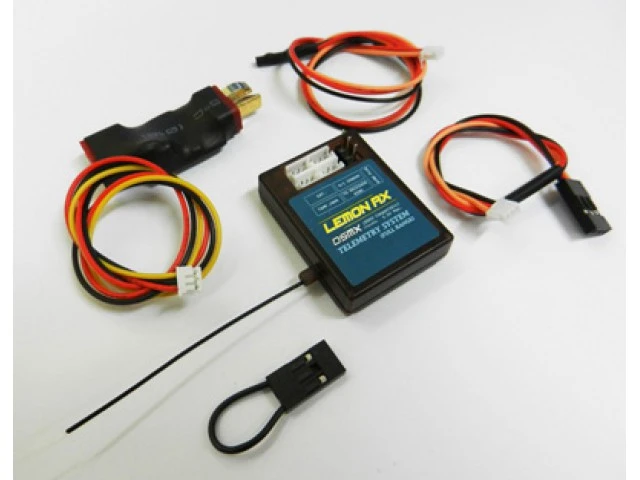
Lemon Rx DSMX Compatible (DSM2 Compatible) Full Range Telemetry System (T-plug Package)
Original price was: $44.80.$31.36Current price is: $31.36.
- Get the Best for Less
- Free Shipping Worldwide
- Green products, guaranteed.
- Your questions, our prompt answers.

Specification
RCgroups discussion for Lemon Rx telemetry system
http://www.rcgroups.com/forums/showthread.php?t=2266873
Complete user manual for download (PDF)
Click to download Lemon Rx User Manual.pdf
Highlight
– Industry best size and weight for similiar range and performance
– T-Plug package
– Altimeter, reciever voltage and temperature sensor are all build-in to the telemetry system
– Full range Spektrum compatiable telemetry system
– Communication protocol is automatically detected for DSMX compatiable or DSM2 compatiable
– V/I/mAh sensor provides up to 60A of currenting rating and 30V input maximum
– Selectable absolute (accurately measured and clalculated) or sea level (101.325kPa assumed as being the sea-level atmoshperic pressure for mathematic calculation) reading by simply turning the pot. dial to minimum or middle position under the label
– Internal temperature sensor automatically selected as primary sensing if external sensor is not connected
– mAh counter provides typical of 2.5% accuracy
– Telemetry packet missed counter (0 to 100%) for reception estimation displayed on “A” variable in telemetry menu
Quick Reference and understanding the product
– Connect all wireharness to the telemetry system with the appropiate connectors as shown on label.
– Connect the ESC in series with the V/I sensor. Do not connect battery or any power source to the unit.
– Connect the telemetry system to the receiver bind location.
– Ensure Spektrum transmitter telemetry options are selected and enabled properly along with the appropiate measurment system (Imperical / Metric) selected.
– Insert bind plug to the telemetry system.
– Excute bind procedure by connecting the battery to the V/I sensor for providing power to the unit. Both reciever and telemetry system should flash quickly.
– Upon binding, you are now ready to use the telemetry system!
Be the first to review “Lemon Rx DSMX Compatible (DSM2 Compatible) Full Range Telemetry System (T-plug Package)”
Related products
Electronics
Electronics
Electronics
Electronics
Chargers / Power Supply
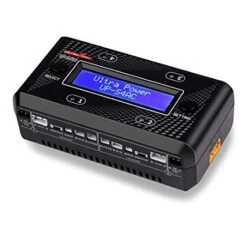
Ultra Power UP-S4AC 2S LiPo/LiHV Four Channels AC/DC Charger
Electronics
Reviews
There are no reviews yet.